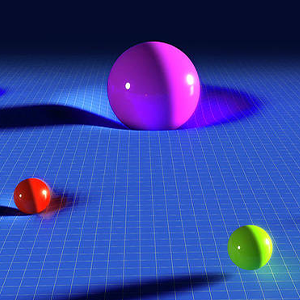
A stack of balls on a 3D stage
A 3D pile waiting for one colour
Higgs Ball Paint is a 3D colour-fill puzzle built from a structure of balls that fills the screen. The name and the loading screen describe the idea directly: a paint session about covering a whole shape in a single colour. The structure sits on a stage, and the player holds one ball at a time to send into it.
The gap between the picture and the rules is small. You see the tower, you hold a ball, and the outcome of each shot appears as the pile changes colour in front of you. Everything else the game needs is shown in the screen's corners, where the level number and progress markers live.
The single-colour finish line
Paint every ball the same shade
The aim is to turn the whole structure one colour. Each shot repaints the ball you tap along with its connected same-colour neighbours, so one well-chosen tap can pull an entire matching region along with it. A progress marker shows how far the current push has come as the pile shifts shade.
Choosing which region to feed matters more than how fast you tap. A large matching patch grows quickly with every shot, while spreading paint across small patches leaves the pile speckled and slow to finish. The level number on screen tells you where you stand in the sequence.
Tap a ball to aim and shoot
Tap to shoot your current ball
Control stays simple: click or tap any ball in the structure and your current ball flies to it. The tapped ball repaints, and so do its connected neighbours of the same colour, which is the whole mechanic in one gesture. You do not steer the shot after it leaves, since the target pick is the entire decision.
Because the flight is automatic, the skill sits in reading the colour map before you tap. Finding the largest same-colour region and adding to it is the fastest way to grow the painted area, and the same rule works with a mouse click on desktop or a finger on a touch screen.
Read the loading screen first
Start after the loading bar fills
The game opens with a loading screen that climbs to a full bar, and the Play button appears once the build is ready. Waiting for that progress to finish is the real starting line; tapping Play then drops you into the first level with the 3D pile in front of you and colours waiting.
Keep the first session to one or two levels. Watch how a single tap spreads colour, notice how the progress responds, and let the first few shots teach the region logic before you push for speed. A short opening visit leaves the reward screen's options for the moment you earn them.
The reward screen's choices
Use the reward screen's choices
After a run the game can show a reward screen with a gift worth an extra fifty and buttons for obtaining it and playing on. The bonus is labelled right on the screen, and the two buttons decide whether you take the reward or move toward the next level. Reading that screen before touching it is the safe habit.
The same screen also shows the level number, so you always know which level the next Play button will launch. Treat the reward screen as part of the loop: check the gift, take what is offered, and play the next level when you are ready. The structure stays the same from level to level.