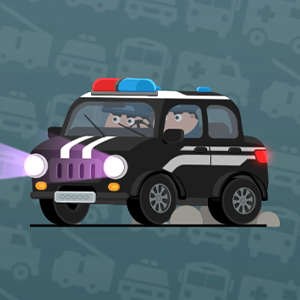
A board of dot columns
Vehicles above, destinations below
Road Connection is a route puzzle played on a board of dot columns, with vehicles lined up above and destinations below. The tutorial shows the core idea in one phrase: sliding to connect routes, so the main action is a swipe that lays road segments between neighbouring columns.
The tutorial advances with a tap: the screen asks you to click the blank space to continue, then demonstrates the sliding gesture on a small dot column. From there each level fills the board with more vehicles and destinations, and the same sliding gesture keeps working level after level.
Every vehicle finds its end
Drive each vehicle to the right end
The goal is to connect every vehicle to its matching destination, then press Start so the vehicles drive along your roads. Each one arriving at the right end clears the level, while a vehicle stopping at the wrong end shows a failed result.
Because the roads are drawn before the vehicles move, every segment is a promise about the final run: a clean corridor now means a clean drive later. The win check happens at the destination, but the decisions that decide it all happen while you are still laying segments.
Slide, snap, and erase
Slide to lay, tap to lift
Slide between neighbouring columns to place a road segment; the piece snaps in when you release the swipe. The same sliding gesture is the tutorial's headline control, so it works with both a mouse and a finger on a touch screen.
Tap a placed segment to remove it, and Start, Reset and Simplify sit on screen beside the board, with Start launching the run when the layout is ready. Sliding lays segments and tapping lifts them, so a half-finished board is easy to fix before the vehicles move.
Long routes get the outer lanes
Give every road its own lane
The classic opening plan is to trace each vehicle to its destination and draw the outer routes first, giving every road its own corridor so the paths stay apart. Long outer lanes anchor the board, and the inner segments then have clear space to reach their own destinations.
Each vehicle deserves one uninterrupted corridor, and once the outer lanes are in place the middle of the board stops being a tangle. Working outward to inward turns an empty grid into a plan instead of a scramble.
Clean corridors pass the check
Inspect the layout before Start
Before pressing Start, check every segment: overlapping or crossing roads are rejected, so a busy segment has to move to a neighbouring line or be redrawn. Keep one clean, separate line for each vehicle and confirm the full route before the vehicles begin to drive.
The simplest session is: lay the outer lanes, connect the middle, read the board once, then press Start and watch the drive. When the result is wrong, reset the board and start the layout again instead of erasing segment by segment, which keeps the plan readable.