Wishes drawn into solids
A pleading hero, a solid sketch
Drawing Lines Great Adventure opens on a title screen carrying the game name and a Start button, so the very first click simply begins the session. Each scene stars a small character who pleads for help, and any line you sketch becomes a solid object once you release it, turning your drawing into the bridge, ramp or shield the little hero needs.
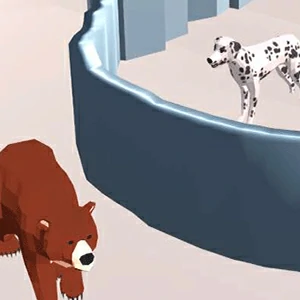
The browser player loads the build and the session starts from that title screen, with the hint text confined to the game name and the Start prompt. From there each level is a self-contained scene: a gap to cross, a river to span, or a stretch where wind, an enemy and a deadly drop decide what the character can survive.
Survival is the win check
Guide the hero across the scene
The goal is simple on paper: get the character through the scene alive. The win check fires once the hero makes it across, so a line only needs to give that hero a stable path or a shield against whatever moves through the level.
Drawing is not free: every line spends the level's power meter, and once the meter runs out no further lines can be placed. That turns each scene into a budget puzzle where the practical question is which one or two lines actually solve the crossing instead of which sketch looks complete.
Hold, drag, and let go
One gesture draws every object
One gesture draws everything: press and hold to begin a line, drag to shape it, and release to drop it into the scene as a solid object. The same press-drag-release motion works with the mouse and with a finger on a touch screen, so the game plays identically on desktop and mobile.
Before you lay a line you can switch between the available pen styles, so the same crossing can be drawn with different stroke types depending on what the scene needs. Nothing about the gesture changes: the drag still shapes the stroke and the release still makes it solid.
Watch the danger pass first
Read the scene before your first line
Spend the first pass of each scene watching instead of drawing. Note where the wind pushes, which direction the enemy moves, and exactly where the drop sits, because every one of those moving parts is a failure reason waiting for an unlucky line.
Then draw a single clean line that gives the character a stable route or a shield, and let the physics handle the rest. Starting small also leaves the power meter mostly intact, which matters when a scene needs a second try after the first line exposed a danger you missed.
Replay over repair
Start clean when a line fails
Laying extra lines over a broken solution rarely holds, because each new stroke spends more power and the old failure stays part of the scene. When an attempt fails, hit replay, watch the danger again, and redraw from a clean slate with the meter back at full.
For short sessions, treat each level as a small budget puzzle: one or two lines, one clean attempt, and a replay when the sketch misreads the scene. That keeps the power meter meaningful and the failure loop short, which suits the quick-draw rhythm of the whole game.