The scenes and the dog
A protect-the-dog puzzler built in 3D
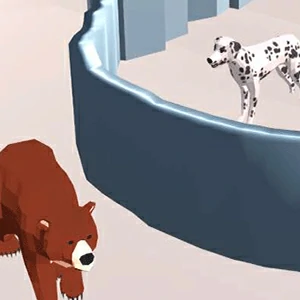
Protect The Dog 3D is a 3D arcade puzzle from DEMENCI Games with a one-line pitch: something is threatening the dog and you have to stop it. Each scene drops the dog into a new spot and explains the danger on screen before you act.
The game runs as a Unity WebGL build, so the opening minute is spent letting the player stream in. Once the scene appears, the layout is a single 3D space where the dog, the hazard and the tools you need are all visible at a glance.
What your line does
Draw a line to shield the dog
The core instruction, captured on the tutorial screen, reads 'Draw line to protect the dog'. Your job is to sketch a barrier between the dog and whatever is coming, and the game resolves whether that line stops the threat.
Think about the line as a wall you place in the path of the danger. A line that sits between the hazard and the dog does the protecting; a line drawn too far away simply lets the threat walk past it and the attempt ends.
Drawing the barrier
Shape the barrier with your finger or mouse
Drawing runs inside the Unity player, and the scene highlights what is interactive at the moment. On a touch screen you swipe to sketch the line; with a mouse you press and drag, then release to place the barrier across the route.
Keep the motion deliberate rather than quick. The build reads the shape and position you left behind, so a slow, straight line across the danger's approach usually beats a flurry of scribbles drawn in a panic.
A first pass that teaches
Watch the first scene twice before judging
Spend your first attempt watching how the danger moves before you intervene. On a second pass you already know the timing, which makes it much easier to spot what the game wants you to put between the dog and the threat.
Every miss is information rather than a failure. The scene ends with a 'YOU LOST!' panel and an OK button, so click through and replay with a different line instead of repeating the same placement.
Blocking the threat early
Act early instead of acting fast
Most failures come from reacting too late rather than too slow. As soon as a new hazard appears, work out what it threatens and sketch the protecting line across that route first, even if the placement looks early.
Prompt lines also hold up better than last-second ones, because the threat has less room to change direction. Block the danger's approach early and the dog keeps the space it needs to stay out of reach.