THE FALLING COURSE
A route that tries to drop you
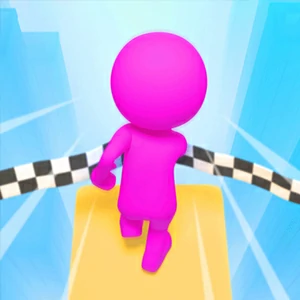
Fall Race 3D is an obstacle race down a route made of moving platforms, gaps and crowded stretches. Your character keeps pushing forward on its own while you steer around whatever is about to swing away or vanish, so the run is really a series of split-second footing choices.
The course does not ask for acceleration or braking, only placement. Each platform arrives on its own timer, so the race reads like a rhythm puzzle: watch a deck slide out, time yourself onto it, and keep the feet moving before the next gap opens underneath.
FINISH ON YOUR FEET
Reach the line upright
Reach the finish ahead of the other racers while keeping your feet on the course. Every fall costs time or sends you back to an earlier section, so staying on the route matters more than flat-out speed, and a clean line often beats a desperate shortcut.
The finish line rewards whoever falls least, not whoever sprints hardest. Since forward motion runs itself, the only speed you control is how few mistakes you make; a racer who never drops keeps a lead that no amount of leaning can claw back.
STEER ONLY
Move sideways, run forward
Move left and right with the on-screen joystick, a finger drag, or the direction keys the game shows. Forward motion runs by itself; your only job is deciding where to plant the character on each moving platform before it swings away.
Small, frequent corrections beat one big lunge. Nudge the character across the platform surface in steps, read where the deck will be when you land, and reserve the full-width slide for gaps that genuinely need it; the input stays gentle, so the mistakes come from timing rather than input.
LEARN THE RHYTHM
Read a platform's rhythm first
Let the first couple of obstacles pass once without committing. Watch each moving platform line up and swing away so you know its timing, then step onto it on the next cycle instead of chasing it the first time it comes close.
The start screen asks you to click on the screen to begin, with a skin option and a double-start button beside it; use the first run after that as the look-see lap. If the pace feels frantic, let one cycle pass before you move, because the platform always returns.
THE QUIET LANE
Avoid the bumping pack
When several racers squeeze into the same narrow opening they bump each other off the edge. The quieter lane next to the crowd is usually safer, and it ends up faster because you are not fighting three rivals for the same footing.
Watch where the pack gathers and steer toward the spare path, even if it looks slightly longer. A wide, empty route beats a short one shared with elbows; the course forgives a slower approach but never a push over the side.