GARAGE AND RACETRACK
Two parts of the same game
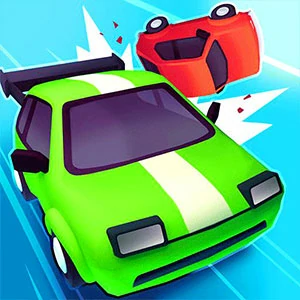
Road Crash combines a car-merging garage with a road race. The garage shows your coin balance, cars with level badges, a buy control and a Race button. During a race, the view moves behind your car and shows a position indicator, score and progress toward the finish.
The garage is useful if you enjoy building a collection between runs; the race gives you a separate steering task. If you arrive at a car board instead of a road, you are in the garage portion of the game.
MATCH THE LEVEL BADGES
Merge matching cars to unlock the next level
Use the buy control at the bottom of the garage to add a car. Read its current coin price before each purchase: the displayed cost changed during the opening purchases. Compare the small numbered badges on the cars rather than relying only on their colors.
Drag one level-1 car onto another level-1 car. In the opening sequence, the pair became one level-2 car; merging two level-2 cars then unlocked a level-3 car. A new-car panel offered a Select button, and selecting it updated the large car preview. These are the opening upgrades, not a promise about every later vehicle.
BOARD DRAGS AND ROAD STEERING
Use the control that matches the current screen
In the garage, drag between car pieces to merge a matching pair. Keep the numbered badges in view so you can identify the source and destination before releasing the car.
The race introduction displays “Drag or use arrow keys to steer.” On a keyboard, focus the game canvas before trying the directional controls. The game provides the forward-moving race view; your immediate input task is steering. Drag steering on a touch device has not been verified in this guide.
YOUR OPENING RUN
Buy, match, select, then check the race result
Begin with the highlighted buy prompt. If you have one level-1 car and a higher-level car, buy a second level-1 car to make a matching pair. Merge the matching pair, then check the board again before spending more coins. Follow any remaining tutorial overlay before using Race.
At the race introduction, read the steering prompt and note your starting position. Use the finish screen to compare your final placing and score. The opening run checked for this guide reached a Finish screen with a ranking list, a score and a Collect control showing a coin amount; that example is not a guaranteed result or reward.
ONE CHANGE AT A TIME
Separate garage progress from race performance
In the garage, use the level badges and the selected-car preview to check what an upgrade changed. In the race, compare the final placing and score instead of treating the garage coin total as your race result. This gives each screen a clear purpose when deciding what to try next.
If a drag does not produce the upgrade you expected, check the two level badges and the destination car before buying again. Collision bonuses, later tracks and the complete reward system are outside this opening guide; no boost strategy is assumed.