THE DRIFT CHAIN
A run is a chain of corners
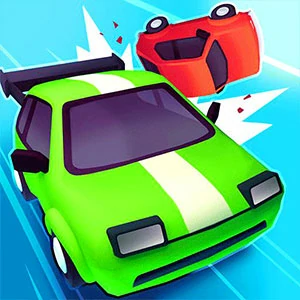
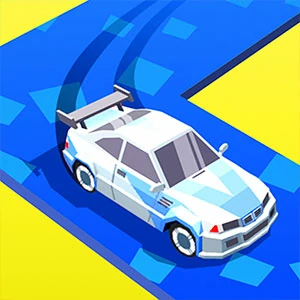
Drift Race 3D is a three-dimensional drift racer in which the speed you carry matters far less than the way you take each bend. The car keeps its momentum rolling through every corner, so a single lap reads as a connected chain of slides rather than a set of isolated turns.
How one drift ends decides how the next one begins. Nose the car out of a corner pointed along the road and the following bend comes cheap; exit sideways and you spend the straight reeling the car back in, which slows the whole chain and sets up the next entry badly.
EXIT BEFORE SPEED
Point at the exit, not the throttle
A run asks you to complete the course and reach the finish ahead of the challenge or the opponent without spinning out or leaving the road. The run survives or dies on whether the car is pointed at each corner exit, not on how hard you floored it going in.
Speed that cannot be aimed is speed you cannot use. When the nose is lined up with where the road goes, the momentum does the work; when it is not, the next slide starts crooked and every later corner pays for it. Keep the direction of travel honest and fast finishes follow.
STEERING INPUTS
Keyboard, mouse, and touch all steer
You steer with the arrow keys, with A and D, with the mouse, or with the on-screen touch buttons that appear when the run starts. All four share one idea: press and hold into the bend to slide, then release or steer the opposite way as the car's nose lines up with the exit.
Pick the input you can hold steady. A quick keyboard tap keeps the slide short, while a mouse or a held key can lean the car deeper into a long sweeper, and the touch buttons sit under your thumbs for mobile play. Test one lap with each and keep the one you can control mid-slide.
FIRST-LAP SIGHTING
Learn the corner order before racing it
On your opening lap, take every bend slower than you think you need to and simply watch where each one starts to bite. Knowing the order and tightness of the corners beats raw speed in the first minute, because you stop guessing mid-slide and start planning one corner ahead.
The start screen offers a level run and an endless run as two ways in, so a quick casual lap on either works as a sighting session. Treat that first pass as reconnaissance: note which corners tighten, which open out, and which feed straight into the next one.
SETTLE ON THE STRAIGHT
Compose the car before the bend
Do your slowing on the straight, not inside the bend. Braking or snapping the wheel mid-drift throws the tail out; a car that enters the corner already composed holds the slide cleanly all the way to the exit line and leaves the slide already straightened for the straight after.
Think of each corner as three separate decisions: brake, turn, unwind. Settle the speed first, commit to the slide, then counter-steer out clean so you carry speed from one drift to the next. Rushing the order just trades one spin for a slower version of the same corner.