SINGLE-SHOT FOOTBALL
Football played one shot at a time
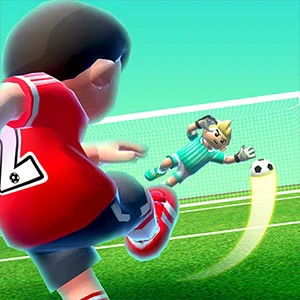
Fierce Shot is a football game built around a single, repeatable action. The ball sits on the pitch with a goalkeeper and defenders in front of the goal, and every shot is one swipe. Matches are grouped into tournaments that climb from the Continent Cup up to the International Cup.
While the game loads, a status line reads "We are setting up your profile for Continent and International Cup ...", so expect a short wait before the first kickoff. What follows is a loop that stays easy to pick up: read the goal, draw a line, and let one swipe decide the outcome.
CUP ROADMAP
Win matches to reach the final cup
Score penalty and free-kick goals, win your matches, and advance through the tournament. Finish in the top two of the group stage to reach the playoff round, become Continent Cup champion, and keep going to unlock the International Cup. Each win moves the campaign one step closer to the top.
The structure gives a session a natural shape: fight through a group, cross into the playoffs, then close the cup. Because everything hangs on one swipe per shot, a calm finish to a match is a good place to stop, and the next cup stays parked as a fresh target for later.
SWIPE TO SHOOT
Swipe from the ball toward the goal
The tutorial gives the exact instruction: swipe toward the goal to shoot. Drag or swipe from the ball toward the goal with your finger or the mouse, and the shot follows the line you draw. When your energy bar fills, draw a star above the stick area to activate a special skill shot.
Placement is what the swipe controls: a straight line to the middle gives the keeper an easy read, while a corner-bound swipe buys extra energy. Keep one fluid motion per attempt: a wavering line wastes the shot that a clean arc would have scored.
TRAINING GROUND
Train your profile, then aim at the corners
Start with the training mode to feel how a swipe becomes a shot, and let the profile-setup load message finish before you jump into a real match. In actual games, aim toward the corners or next to the crossbar: those spots pay more energy, and a full energy bar unlocks the special skills.
Plan sessions around cup stages: one group of matches is a clean unit, and finishing it leaves a natural break before the playoffs. Newer players should stay in training and early matches until the draw motion feels automatic, then step up as wins become consistent.
SKILL SIGNATURE
Keep a full bar for the keeper
There are five special skills to unlock as you progress through the cups, and the opponent can counterattack at any time. Keep the ball placement clean, save a full energy bar for the moment the keeper is set, and draw your star calmly, since a rushed signature wastes the advantage.
When the counterattack arrives, treat it as part of the same loop: reset your line, read the goal again, and fire one clean swipe. Energy earned from corner shots refills your options, so prefer corner placement even on attempts that do not convert. Calm beats panic here.